In this guide
- 1The counter alone is not enough anymore
- 2The four types of self-service hardware temples are adding
- 3How each one changes the temple's daily operations
- 4Which hardware does your temple actually need?
- 5How hardware connects to your temple software
- 6The cost question: hardware is separate from the subscription
- 7Getting started with temple hardware
The billing counter has been the centre of every temple's operations for as long as anyone can remember. But as temples across Malaysia, Singapore and India add self-service hardware beyond the counter, the role of the counter itself is changing. Kiosks, vending machines, mobile POS devices and QR terminals are quietly reshaping how temples handle devotees, and the temples adding this hardware are seeing faster queues, fewer bottlenecks, and staff who can focus on people instead of transactions.
This guide walks through the four types of self-service temple hardware available today, what each one actually does, and how to decide which ones your temple needs.
The counter alone is not enough anymore
For a small temple with steady daily footfall, a single billing counter works. One staff member, one screen, one receipt printer. Devotees wait briefly, get their archanai ticket, and move on.
But the moment volume goes up, the counter becomes a bottleneck. Festival weekends. Annual celebrations. Kumbabishegam. Pongal. Suddenly one counter serves hundreds of devotees, and the queue stretches across the temple grounds. Some devotees wait. Many leave. The temple loses offerings it should have received, and the devotees leave with a bad experience instead of a peaceful one.
Adding more staff to the same counter doesn't fix this. The counter itself is the constraint. What changes the equation is giving devotees alternative ways to transact without needing the counter at all.
The four types of self-service hardware temples are adding
Not all temple hardware is the same, and they solve different problems. Here's what each one does and when it makes sense.
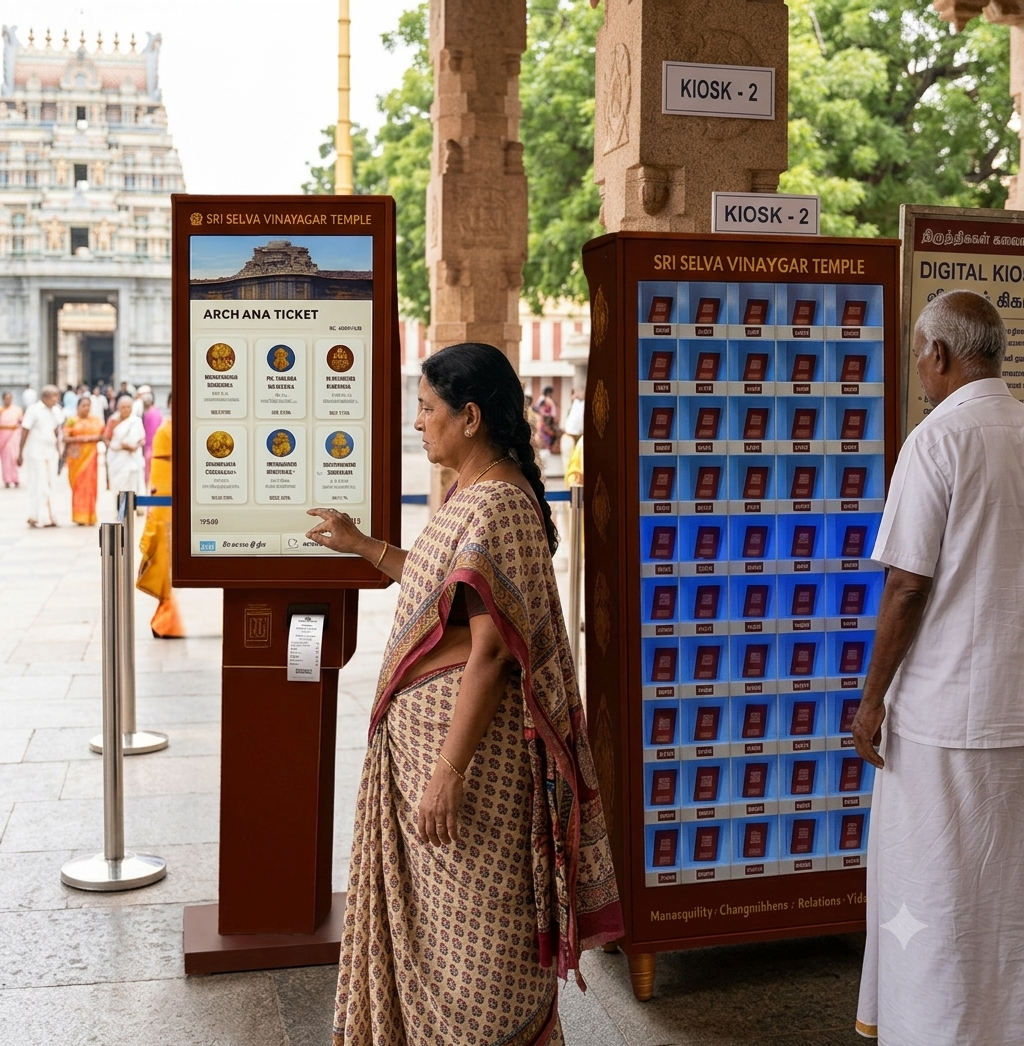
Self-service kiosks
A touchscreen terminal is placed in the temple where devotees can book poojas, make donations, purchase vilakku and prasadam, and pay by card or QR, all without approaching the counter. The kiosk runs on the same system as the counter, so every transaction is recorded identically. A devotee using the kiosk and a devotee at the counter generate the same receipt and the same closing-report entry.
Kiosks are the single biggest queue reducer for busy temples. They effectively add another billing point without adding another staff member.
Vilakku Vending Machine
This is unique to Temple Management Software by Grasp. A dedicated machine that dispenses vilakku (lamps) to devotees in exchange for cashless payment. No queuing at the counter for a simple vilakku purchase. The machine accepts QR and card payments, records every sale into the same system, and tracks stock levels automatically.
For temples where vilakku sales make up a significant portion of daily transactions, this one device can remove a meaningful chunk of counter traffic.
How a Vilakku Vending Machine Transforms Temple Offerings
Mobile POS devices
A handheld device that a staff member carries around the temple, processing transactions on the move. Instead of asking devotees to walk to the counter, the staff member walks to the devotees. Useful during festivals when the temple grounds are crowded, for outdoor events, or for temples with large campuses where the counter is far from certain areas.
Mobile POS devices connect to the same central system wirelessly. The transaction shows up in the closing report just like a counter or kiosk transaction. The difference is that the billing comes to the devotee rather than the other way around.
QR payment terminals
Simple payment points are placed at strategic locations around the temple: near the donation hundi, at the prasadam counter, at the entrance gate. Devotees scan a QR code with their phone and pay instantly. No cash handling, no receipt printing at that point, the payment records digitally and the devotee gets a digital receipt.
QR terminals are the lightest-touch hardware option. No screen, no moving parts, no staff needed. They work best as supplements to the counter, not replacements.
How each one changes the temple's daily operations
Understanding what each device does is only half the picture. The real question is how it changes the way your temple runs day to day.
What kiosks solve
The queue problem, primarily. A temple with one counter and 200 devotees on a busy morning has a queue. A temple with one counter and one kiosk has two service points and roughly half the wait. Add a second kiosk and the queue virtually disappears for routine transactions.
Kiosks also solve the staffing problem. A counter needs a trained staff member at all times. A kiosk doesn't. During off-peak hours, the kiosk handles walk-ins while the staff member attends to other work.
What the Vilakku Vending Machine solves
The "small transaction queue" problem. In many temples, a large portion of counter time goes to simple vilakku sales. A devotee who only wants a lamp waits in the same queue as someone booking a special pooja. The vending machine separates these two flows. Simple vilakku purchases go to the machine. Complex bookings stay at the counter. Both lines move faster.
What mobile POS solves
The "location" problem. Festivals and large events spread devotees across the temple campus. A counter at one fixed point means devotees have to travel to it, queue, and travel back. Mobile POS brings billing to wherever the devotees are.
What QR terminals solve
The "I just want to donate quickly" problem. Many devotees visit with a simple intention: make a donation, buy prasadam, and leave. They don't need a full counter interaction. QR terminals let these devotees complete their transaction in seconds without entering any queue at all.
Which hardware does your temple actually need?
Not every temple needs all four. Here's a simple way to decide.
If your main problem is queues during busy periods, start with a kiosk. It's the highest-impact single addition.
If vilakku sales create a large portion of your counter traffic, add the Vilakku Vending Machine. It's specialised but very effective for that specific bottleneck.
If your temple hosts large festivals or outdoor events where the counter is physically far from the crowds, mobile POS is the solution.
If you want to enable quick cashless donations and prasadam purchases without any queue at all, QR terminals are the lightest and cheapest option.
Most temples start with one device (usually the kiosk) and add others as they see the impact. There is no pressure to add everything at once.
How hardware connects to your temple software
This is the part that matters most and that many vendors get wrong.
Every piece of hardware should feed into the same central system your counter uses. A kiosk transaction, a vending machine sale, a mobile POS booking, and a QR payment should all appear in the same daily closing report, the same accounting module, and the same donation records. If the hardware runs on a separate system from the counter, you end up reconciling two sets of books, which defeats the purpose.
Temple ERP by Grasp connects all hardware into one system. Counter, kiosk, Vilakku Vending Machine, mobile POS and QR terminals all record to the same back-end. One closing report. One set of accounts. One source of truth.
What Does a Temple ERP Actually Do? A Module-by-Module Breakdown
The cost question: hardware is separate from the subscription
Temple software runs on a monthly subscription. Hardware is a separate one-time purchase. The subscription covers the software, updates, and support. The hardware (kiosks, vending machines, POS devices, QR terminals) is quoted based on how many units your temple needs.
This separation matters because it means you can start on the software without any hardware, then add devices later when your temple is ready and the budget allows. You never have to commit to both at once.
Temple Management Software Price in India: What to Expect in 2026
Getting started with temple hardware
The right hardware depends on your temple's size, footfall, layout, and which bottlenecks you want to solve first. The best way to work this out is to map your temple's operations onto the available options and see what fits.
If you're already on Temple Management Software by Grasp, adding hardware is straightforward because it connects to the system you're already running. If you're evaluating for the first time, we can walk you through both the software and the hardware together.
What Happens in the First 30 Days After Your Temple Goes Digital Request a quotation with your temple's size, daily footfall, and which bottlenecks concern you most.
Temple Management Software by Grasp is built by Grasp Software Solutions in Malaysia, with an office in Madurai, serving 90+ temples across Malaysia, Singapore, India and the USA since 2015.
Frequently asked questions
Do we need hardware to use temple software?
No. The software works on its own with just a computer or tablet at the counter. Hardware like kiosks, vending machines and mobile POS is optional. You add it only when your temple wants it.
Can we add hardware later?
Yes. Most temples start with the software on a basic plan and add hardware when they see the need. The system is designed so any device can be connected at any time without rebuilding anything.
Does the hardware work with other temple software, or only Grasp?
The Vilakku Vending Machine is exclusive to Temple Management Software by Grasp. Kiosks and POS devices are configured to work with the Grasp system. If you use a different vendor's software, check whether their hardware integrates into the same back-end or runs separately.
Who installs and maintains the hardware?
Installation is handled by the Grasp team during your temple's setup. Maintenance and support are covered as part of the ongoing relationship. If a device has a technical issue, it's handled the same way as a software support request.
What happens if a kiosk breaks during a festival?
The counter continues operating normally because it runs on the same system independently. Kiosk downtime doesn't affect counter operations. If a kiosk has an issue, the support team handles it, but the temple's billing doesn't stop.
Is the Vilakku Vending Machine available outside Malaysia?
Yes. The machine is available for temples in India, Singapore and other countries where Temple Management Software by Grasp operates. Pricing and availability vary by region, so check with the team for your location.
Can one temple use multiple types of hardware at the same time?
Yes. Many temples run a counter, a kiosk and QR terminals simultaneously. All devices feed into the same system. The daily closing report combines transactions from every source into one total.